How it works
From “bolo” to verified.
Four moves turn a casual instruction into finished, provable work. People stay in charge of every decision that matters.
1 · Say it
Say it the way you already say it
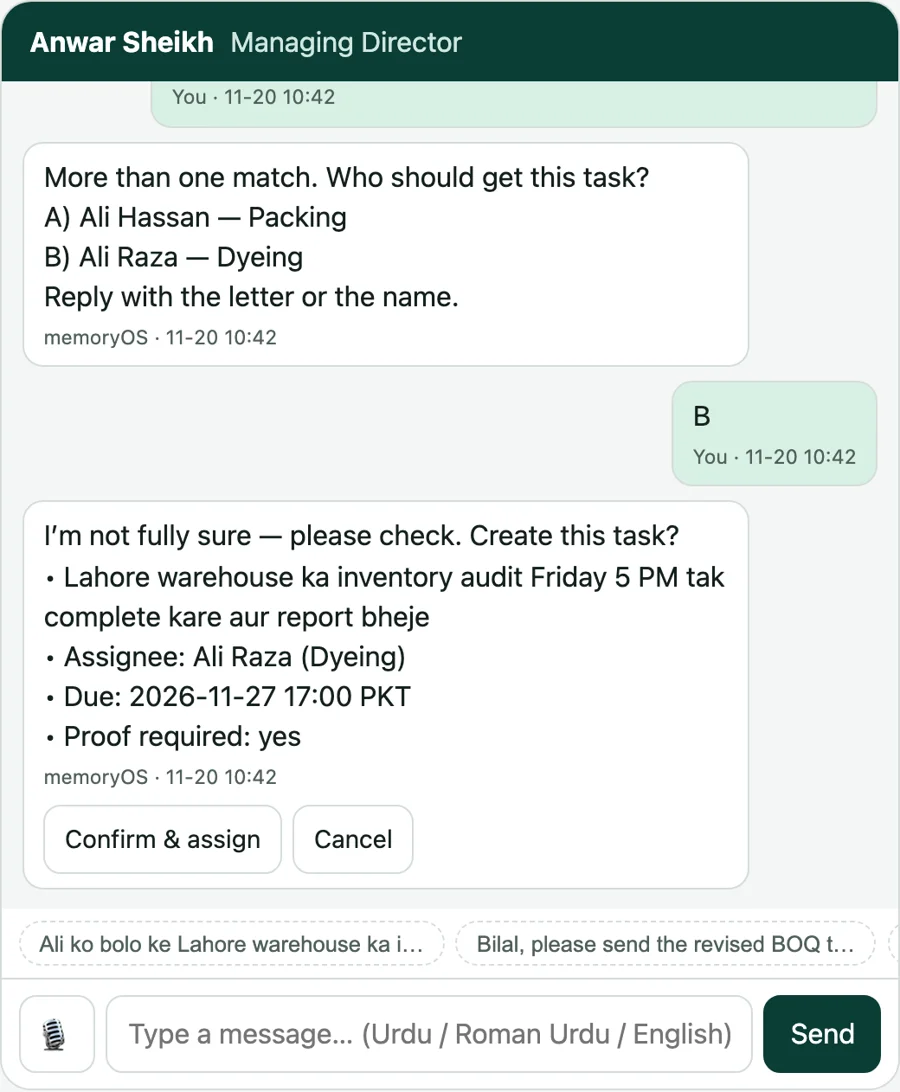
“Ali ko bolo ke Lahore warehouse ka inventory audit Friday 5 PM tak complete kare.” memoryOS understands Roman Urdu and English, finds who you mean and reads the deadline.
- If two people are called Ali, it asks which one.
- If something is unclear, it asks before it guesses.
- Nothing is sent until you confirm the task, the person and the deadline.
2 · Follow up
The follow-up happens without you
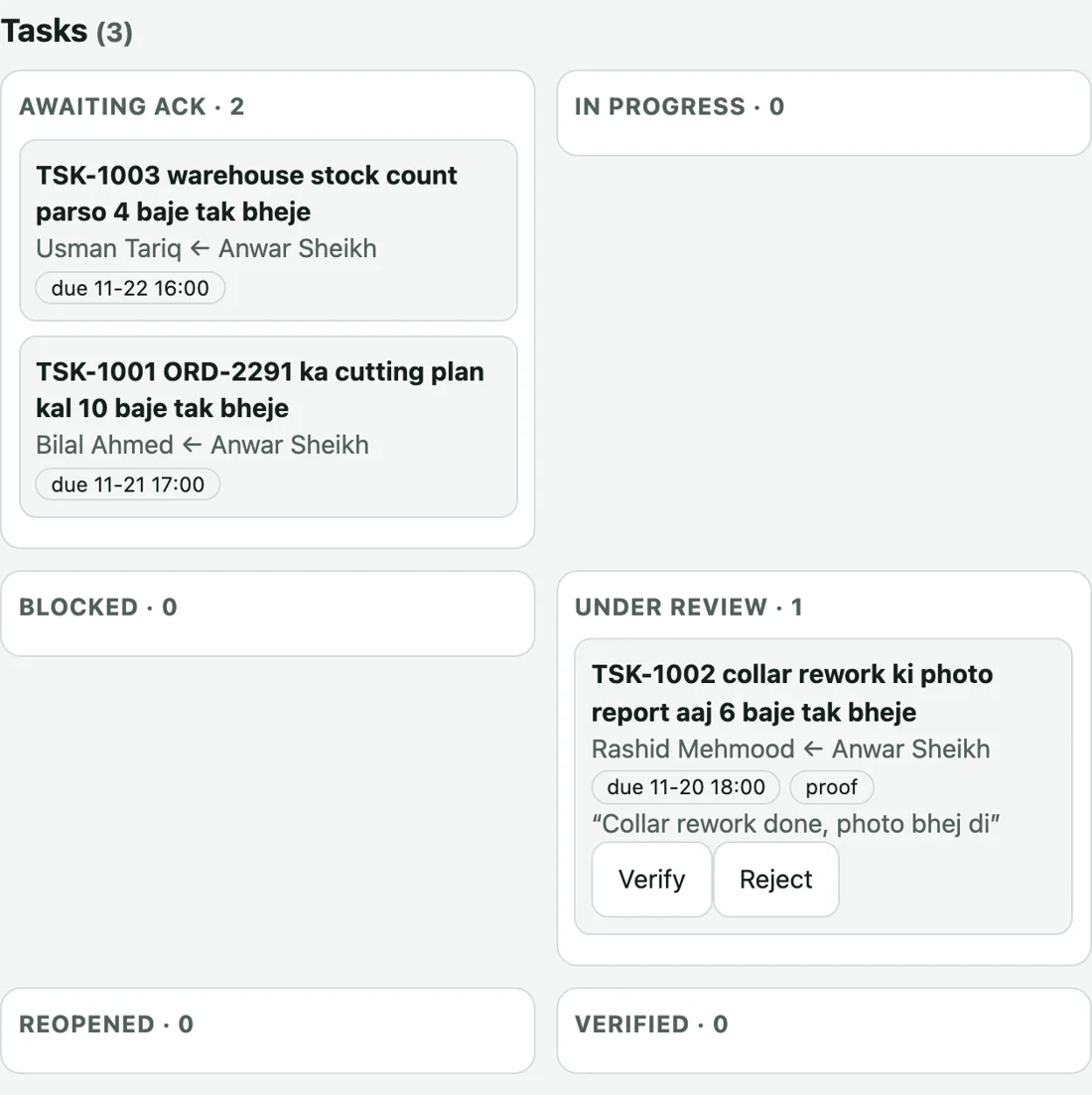
The assignee receives the task, taps Acknowledge, and the status moves. If a deadline passes, the person who asked is told. You see what is waiting, blocked and overdue on one board instead of in forty chats.
- Acknowledged, in progress, blocked and under review are separate states.
- Overdue work is flagged to whoever asked.
- Staff see only their own tasks.
3 · Verify
“Done” means a person checked it
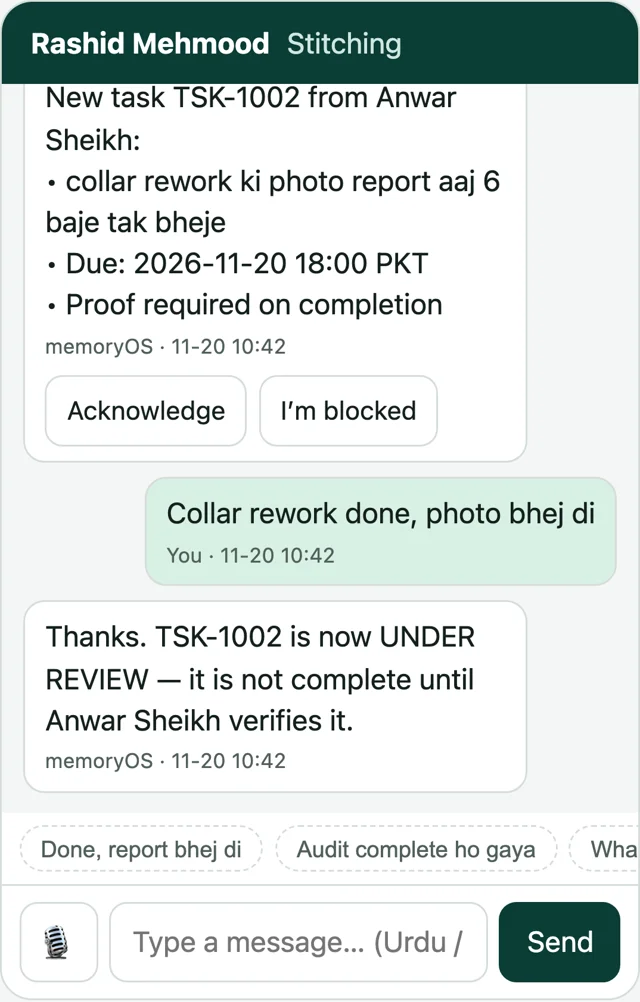
A worker reports the job finished and attaches proof. The task moves to Under review. Only the person who asked, or a manager, can verify it or send it back. The AI can never mark work complete.
- Proof travels with the task: note, photo or file.
- Reject with a reason and the task reopens for the worker.
- Every state change is recorded with who made it.
4 · Remember
Ask anything. Get sources, or “not recorded”.
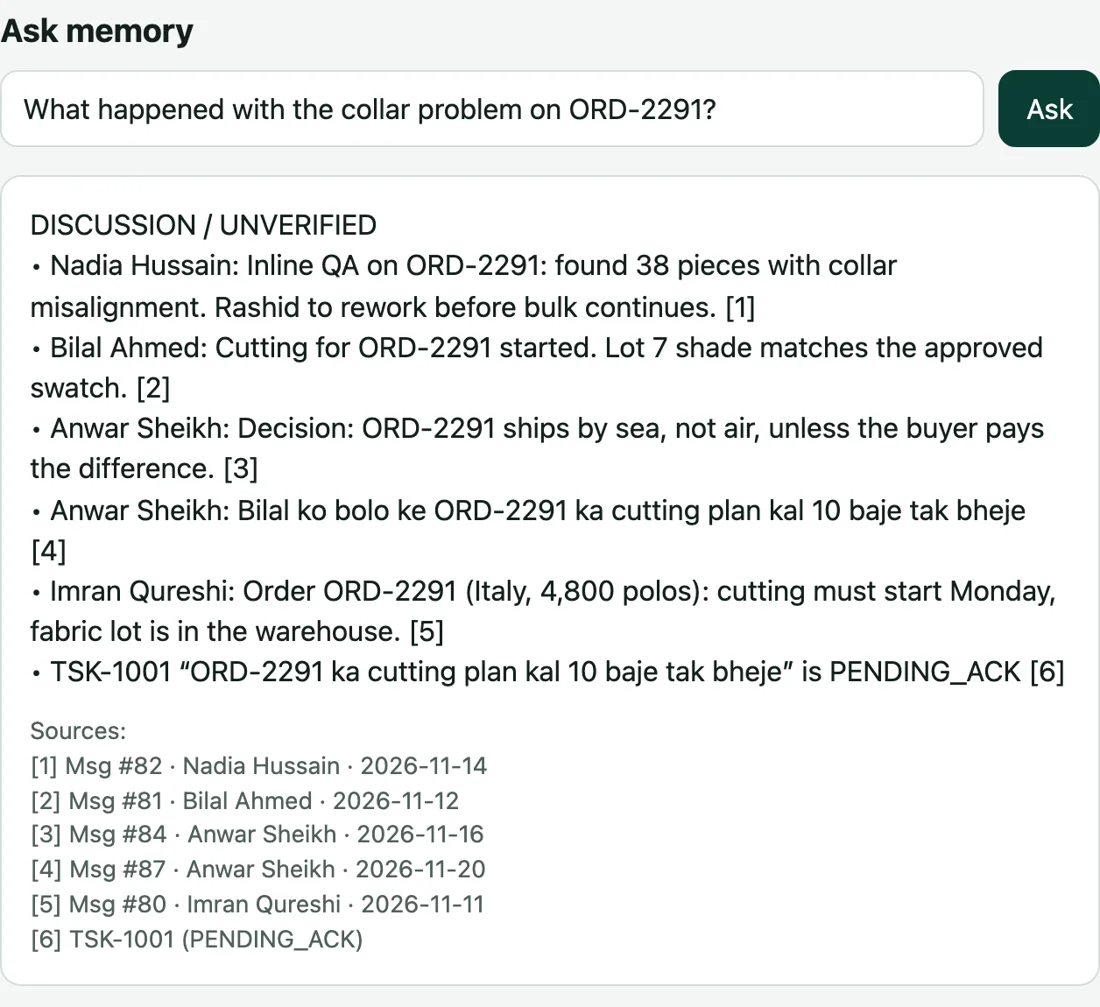
Ask “what happened with the collar problem?” and each line points to the message or task it came from. Verified work is shown apart from things that were only discussed. If nothing matches, you are told so instead of getting a guess.
- Verified record and discussion are never mixed.
- Import exported WhatsApp chats to search your history.
- People only find what they are allowed to see.
An illustrative day
A day in a garment unit, with memoryOS
This is a scenario to show the flow, not a customer story.
The unit head sends a voice note: cutting plan due by 10 tomorrow. memoryOS asks nothing, confirms the task card, and it reaches the cutting master.
QA finds collar misalignment. The note goes into memory. The rework task is assigned to the stitching supervisor, with a proof requirement.
The supervisor sends a photo and “rework done”. The task moves to Under review. The head of QA verifies it with one tap.
A buyer asks what was done about the collars. The answer comes back with the QA note and the verified task as sources.
See it with your own team’s words.
Early access starts with a short call and a workspace set up for your team.